
Operations
Nobody should draw an exam timetable in pencil
One person draws the exam grid, one paper moves, and the whole thing needs checking again by eye. Usually it is not. Here is the workspace that replaced the pencil.
The exam timetable is drawn on paper, in pencil, by one person, in a week that nobody else wants.
Then a teacher goes on leave, one paper moves to the Thursday, and the whole grid needs checking again by eye. Usually it is not checked, because checking it means reading forty rows against each other twice. So a class sits two papers at once in the third week, and everybody finds out in the hall.
A series, checked before it goes out
An exam series in 1410SMS is a set of sittings: a class, a subject, a date, a time, a room, an invigilator. Building one is ordinary data entry. What makes it worth having is what happens next.
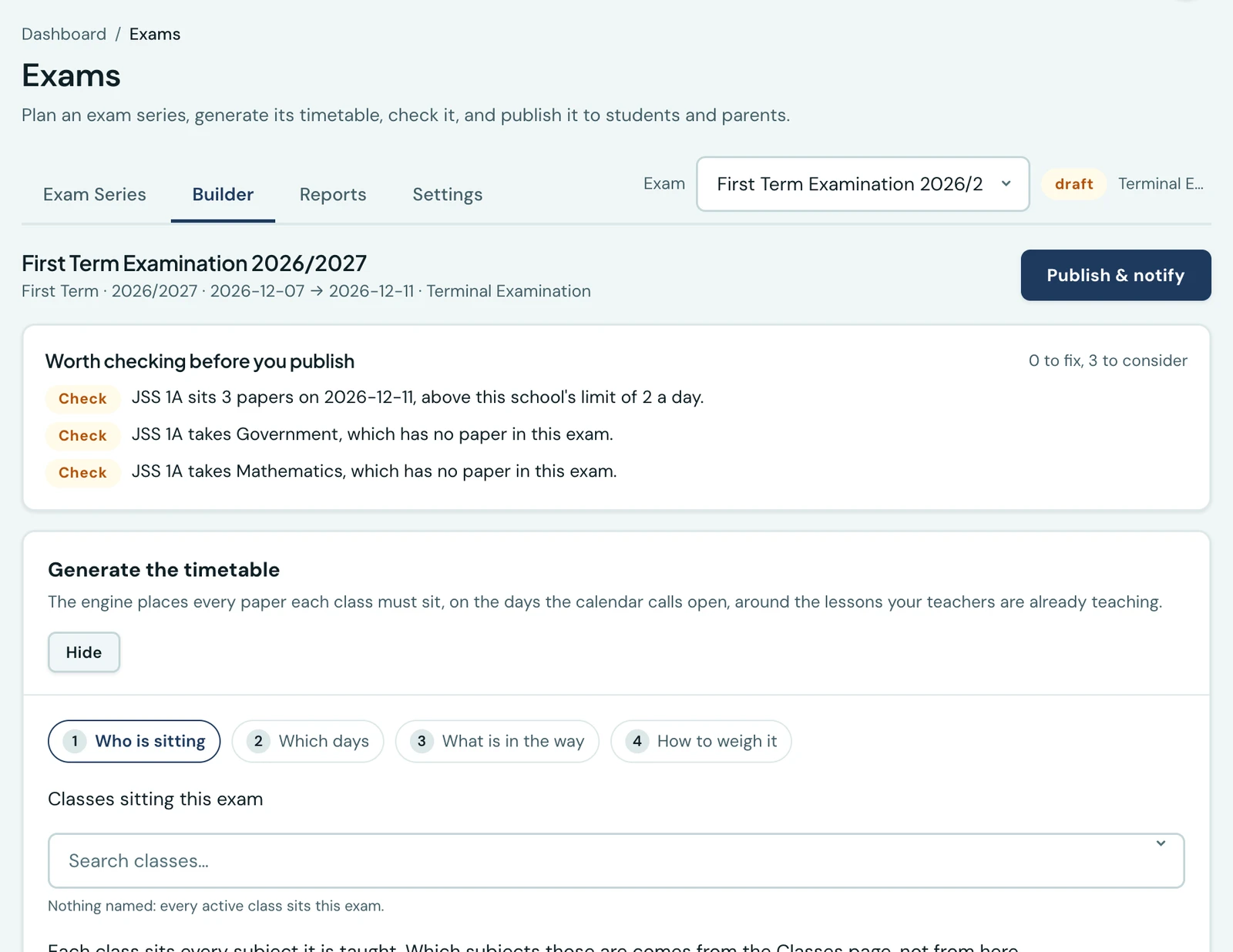
One action checks the whole series. It reports every clash it can find, including the two that matter most: the same class sitting two papers at once, and the same invigilator in two halls at once. Clash detection runs on the weekly timetable engine's own logic rather than a second implementation of it, so the two cannot drift apart and start disagreeing about what a conflict is.
Publishing runs the same check and refuses on errors, with the findings on the response rather than a shrug and a support ticket. You cannot publish a broken series by accident.
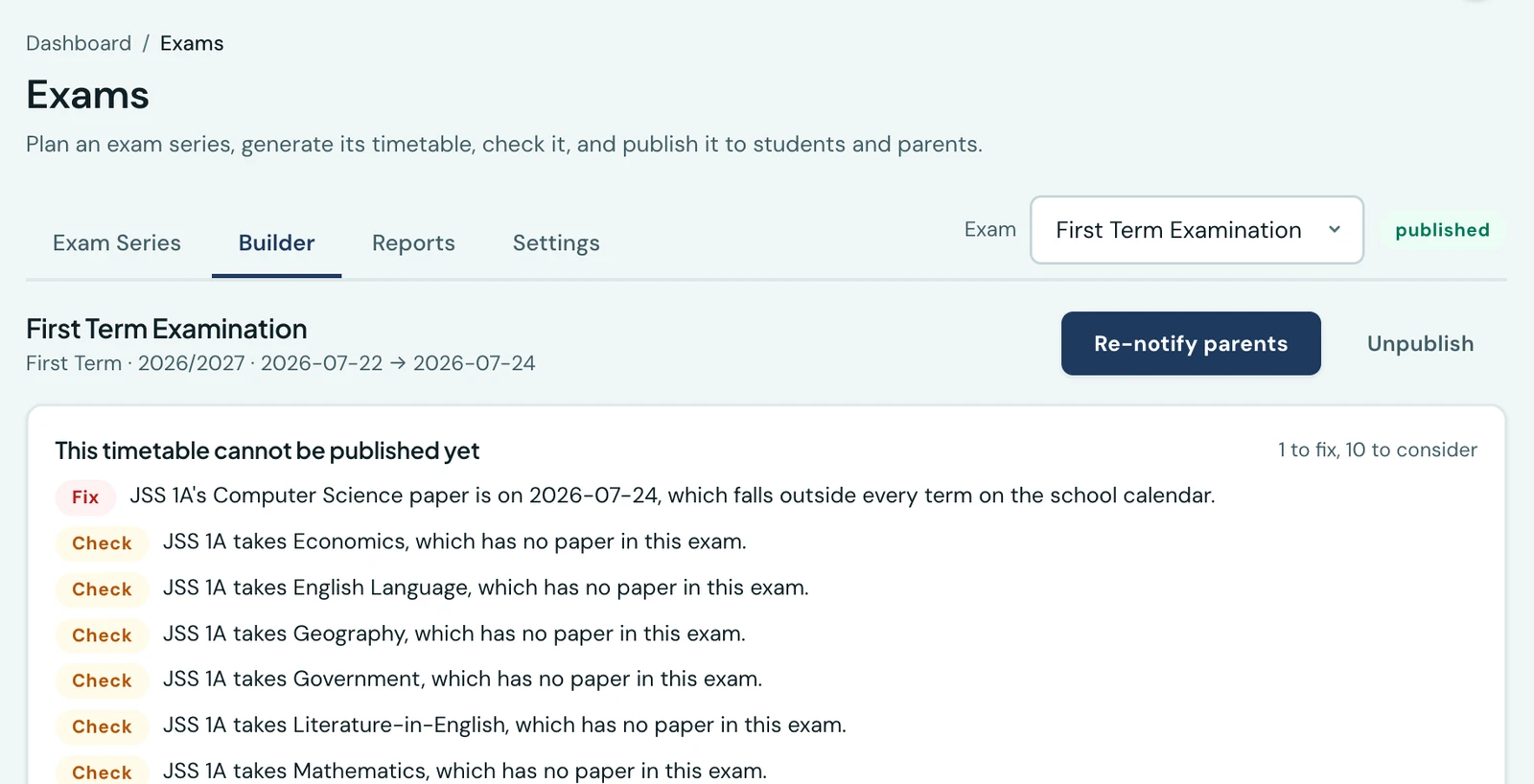
Publishing is its own permission
Building a draft and telling four hundred families are not the same act, so they are not the same permission. A member of staff can be given the series to build and not the button that sends it.
This pairs with the rule that makes drafts usable at all: a draft announces nothing. Move papers around in a draft as much as you like and the world stays quiet. Move or drop a paper after publication and that class's families are told, because they have already written the old date in a diary.
Several papers move together
A cascade is the normal case. The Chemistry paper moves, so the Physics paper has to move to make room, so the room booking changes.
Moving them one at a time through a clash checker means passing through arrangements that are not valid and being told so at each step, which teaches you to ignore the checker. So a bulk move takes the whole proposal and checks it against the series as it would be, not as it is.
A whole series can be generated
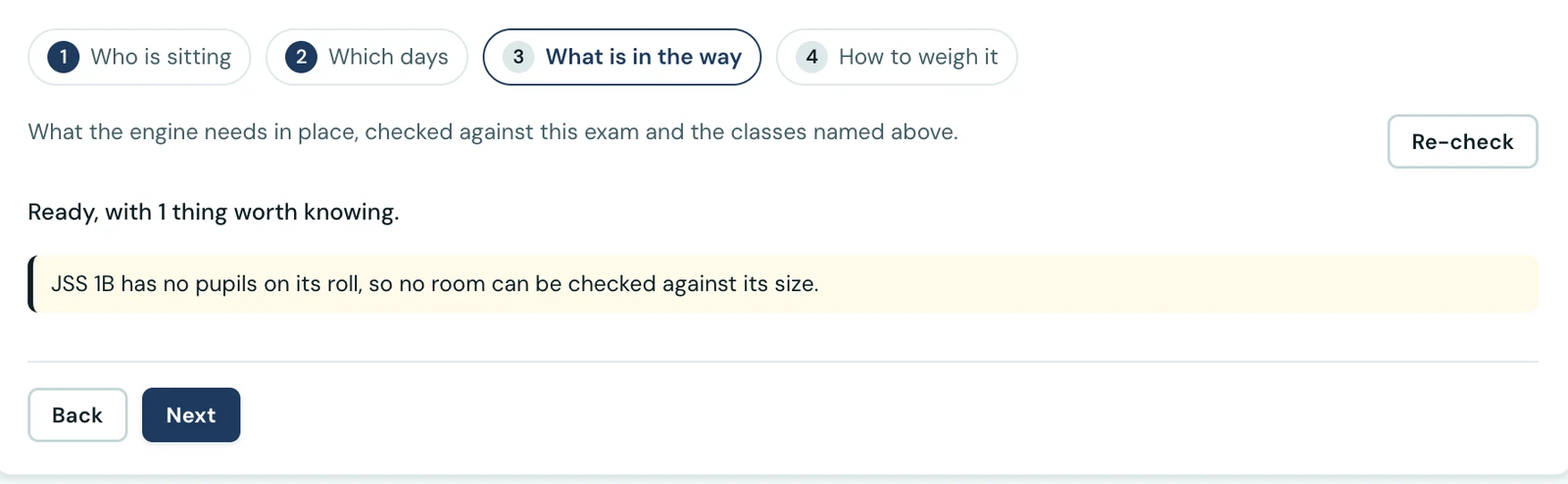
If you would rather not place forty papers by hand, the workspace will do it, using the same construction core the weekly timetable generator uses.
You describe the shape you want, under Settings → Examinations, rather than tuning six numeric weights: balanced, spread out, finished quickly, or mornings first. That distinction is most of the reason the feature is usable, because a scheduler that asks a bursar to balance six weights is a scheduler that gets used once. The weights are still there, behind a Custom option, for the school in fifty that wants them.
A paper can be the online test that is that paper
If a subject is examined on the computer-based testing module, the sitting can be linked to that test. The sitting then owns the test's window and its class list, so there is one thing to keep correct rather than two that must be kept in step.
On the phone that paper carries an "Online" tag, ahead of the room, which is still shown beside it.
Four documents, all of them printable from a phone
- A class's papers, for the noticeboard and the parents.
- An invigilator's list, so they know their duties.
- A room's day, for whoever is running that hall.
- The attendance roster a paper is registered on.
All four print from the mobile app as well as the web, which is not a box-ticking exercise. An invigilator wants their roster on the way into the hall, not at a desk twenty minutes earlier, and that is the whole reason it is on a phone.
One naming decision
Internally the object is a "diet", which is what examination boards call a round of exams.
Every screen a school reads calls it an exam series, because "diet" is a word that costs a bursar thirty seconds and teaches them nothing. The technical term survives in our code and nowhere a customer looks.
What stayed on the web
Generation, the module's settings, linking a CBT test, and cloning a series or building it a class at a time are web-only, deliberately. They are the parts done sitting down, once, with a spreadsheet open. Everything done standing up, in a corridor, in the week of the exams, is on the phone.
Keep reading
Guides
Build your school week without the wall chart
The timetable is the one document a school rebuilds every year and dreads every year. The new Weekly Timetable workspace does the placing, catches the clashes as they happen, and shows nobody anything until you publish.
Read article
Operations
Your school knows who was in class. Does it know who was teaching?
The pupils' register is taken every morning. Staff attendance is a signing book on the front desk. Here is how we built the second one, and the four things we deliberately refused to do.
Read article
Ready to try it with your school?
Three-month Basic trial. No card required to register.