
Operations
The end-of-session checklist
The handful of things worth settling before a new academic year starts, in the order that stops you undoing your own work, and the one click that quietly decides what every screen in the platform means for the next four months.
Almost everything in 1410SMS is filed against a term and a session. Grades, attendance, invoices, report cards. The start of a new period is therefore one of the few times a school genuinely has to sit down and configure something, and it is worth ten unhurried minutes.
The mechanics are short and documented in full under Academic Calendar, Terms & Sessions: add the session, pair it with a term as a calendar, mark that calendar current. This is the other half, the part that is not a form. What order to do things in, and what goes wrong when a step is skipped.
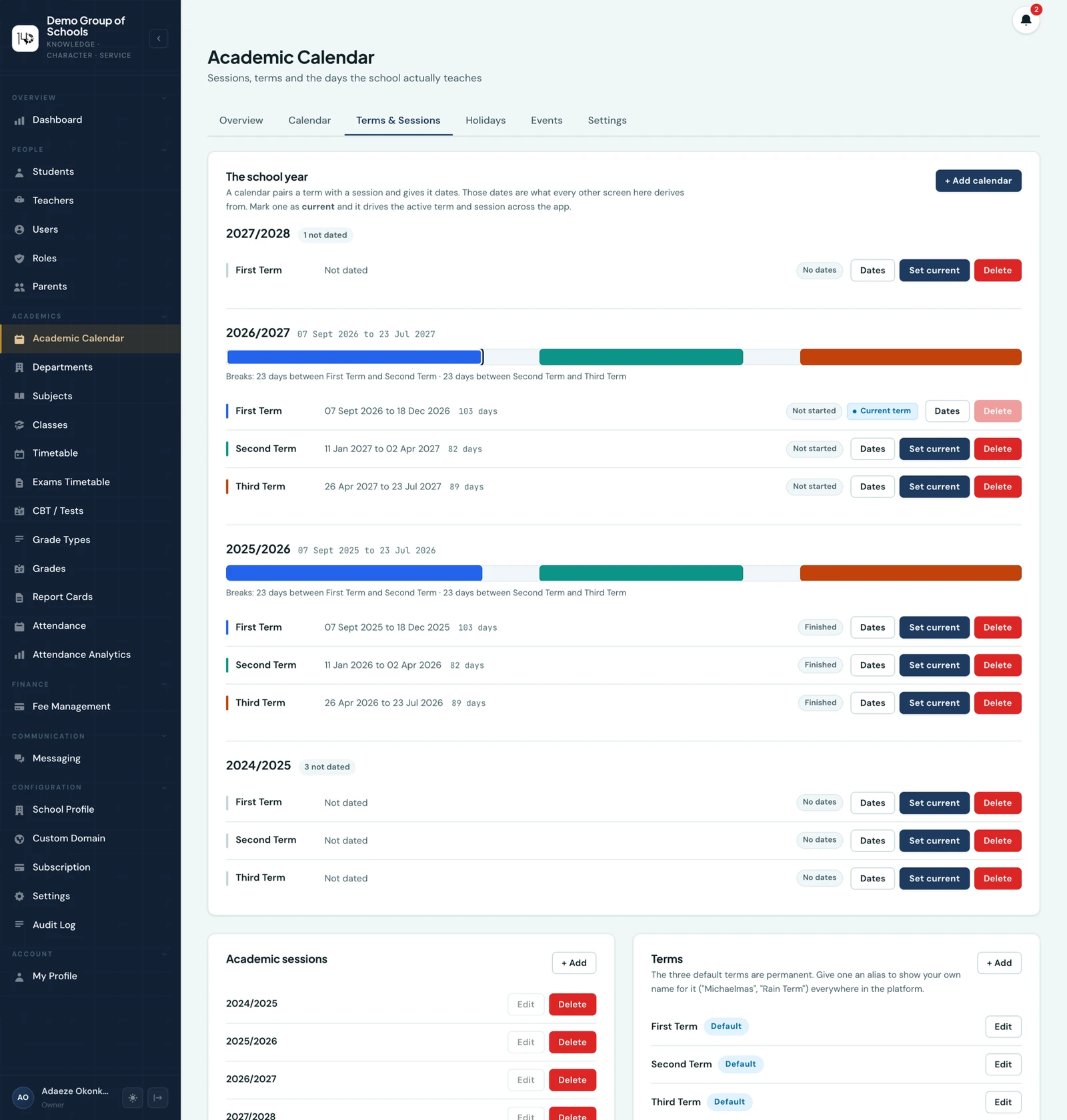
The school year at the top, and underneath it the sessions and terms it is built from.
The click everything depends on
Setting the current calendar is the step that actually changes what the platform does. It decides the term a new grade is filed under, the term an invoice belongs to, what the dashboards report on and which period a report card opens to.
If you forget it, nothing breaks visibly. Marks and invoices keep saving. They keep saving against last term, and by the time someone notices, correcting them is a real job rather than a click. It is the single most important action on the page, so make it the one you go back and check.
Do not create a new "First Term 2026/2027"
The three default terms are permanent and reused across every session. That is what lets a report card say "this pupil's running average across the terms completed so far" and mean something. The term is First Term; the session is what changes.
A school that calls its terms something else gives them an alias rather than renaming them: Michaelmas, Rain Term, Semester One. The alias is what appears on report cards, in the portals, on PDFs, in exports and in the app, while the spine everything is ordered against stays intact.
Order matters for promotion
New session usually means everyone moves up, using Promote Students on the Students page. Two things are worth getting the right way round:
- Sort out your class list first. Opening a new stream or retiring one is a job to do before promotion, not after.
- Work from the top down. Promote the leaving year first and come down the school, so you are never moving pupils into a class you are about to empty.
Then the things nobody remembers until they bite
- Check each class's subject list. A year group that has picked up a new subject needs it ticked on the class's Edit form, or it will not appear in grade entry or the timetable builder, and the first person to notice will be a teacher trying to enter marks.
- Review your fee structures. Amounts change more often than fee types do, so this is usually updating a default amount rather than adding anything.
- Review discount awards. A sibling discount awarded "until you revoke it" carries into the new session by itself, which is normally what you want. A bursary awarded for a single term does not, which is also normally what you want. Worth a look either way.
- Set the resumption date on any one pupil's report card, and every other pupil in the session picks it up.
What carries over
Nothing is deleted at a session boundary. Last year's grades, registers and invoices stay exactly where they are, filed under the session they belong to, and every screen with a session filter can still reach them.
Unpaid balances carry over too, because a debt does not expire with a term. That is why the dashboard's period filter defaults to the whole session rather than the current term: when you are chasing arrears, the session total is the number you want.
Keep reading
Finance
Four Controls That Stop School Fees Going Missing
Most money lost in a school office is not stolen. It goes missing because one person recorded it, nobody checked, and the mistake was found six weeks later. Here are four controls that catch it early.
Read article
Guides
The Hidden Cost of Manual School Administration
The cost of running a school on paper and spreadsheets is rarely the paper. It is the hours your staff spend assembling answers that the system should already know.
Read article
Ready to try it with your school?
Three-month Basic trial. No card required to register.