
Academics
Early Years Assessment
Reception and playgroup pupils get a developmental report. Teachers rate each area and write free-text comments on the child's progress, all flowing onto a dedicated report card.
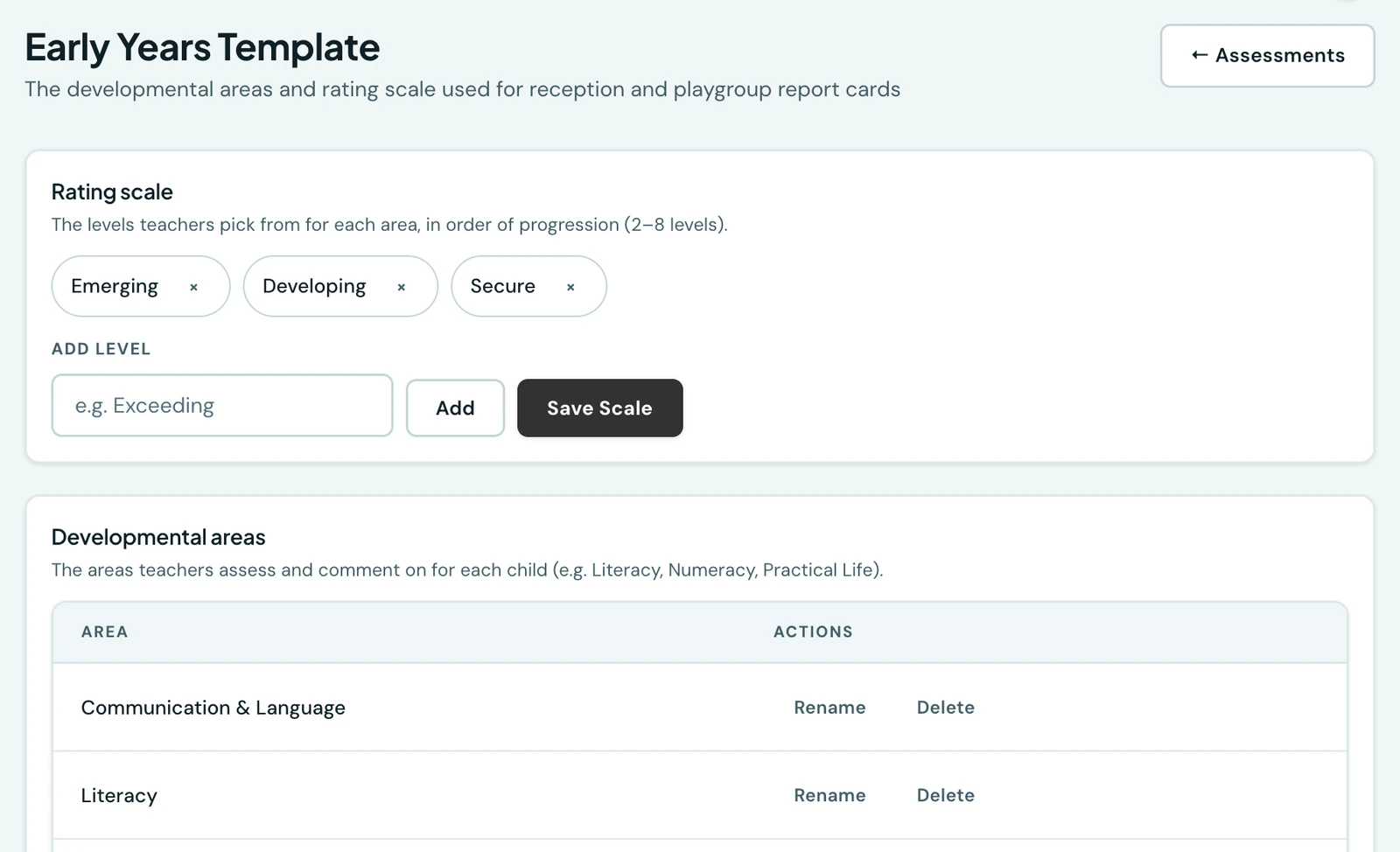
Reception, playgroup and crèche pupils are assessed differently from older students. Teachers rate a child's progress across developmental areas rather than marking subject tests. 1410SMS has a dedicated developmental assessment for these classes.
Marking a class as early years
When you create or edit a class under Classes & Timetable, set its Assessment type to Early years. Those classes then use the developmental assessment instead of subject grades, and the Grades page will not let you record scores for them.
The developmental template
Every school starts with a ready-made list of developmental areas (Communication & Language, Numeracy, Physical Development, Creative & Crafts, and more). Admins tailor them under Early Years → Manage template: rename, add or remove areas, and set your own rating scale. The default is Emerging, Developing, Secure, but you can define any number of levels between two and eight.
Recording assessments
Open Early Years. The band across the top of the page is the record's scope: the class, the term and the session everything below it is filed under, with a meter showing how much of the class is done. It stays on screen while you write, so what a report is being filed against is never a question.
The roster below it is one card per pupil, searchable by name or admission number and filterable to Everyone, Recorded or Not started. Each card carries a segmented meter, one segment per area in your template, so "4 of 6 areas" is readable at a glance rather than a number to interpret.
Choose a pupil and the record opens. Its header keeps the child's name, the same meter, and a line saying which term and session you are writing into and who last saved the record, and when. For each area, give a rating (required) and add as many observations as you like describing what the child can do and how they are developing. The written commentary is the heart of this report. Each observation can carry its own optional rating too, so you can rate a single observation on its own. A heading tells you what that area already holds. Finish with the areas to improve on, the class teacher's comment, and (for admins) the head teacher's remark, then save.
The arrows in the header move to the next pupil in the list without going back to the roster, and anything unsaved is confirmed before it is left behind, whether you leave by the arrows, the Back button, or by changing the term. Save record stays disabled while the form holds nothing at all, so an empty report cannot be filed by accident. Class teachers can record for their own classes; admins for any class.
To remove a record filed against the wrong child or the wrong term, use Clear record at the foot of the form. It takes the whole record with it: every area rating, every observation and the closing remarks. You are asked to confirm first, and it cannot be undone. Clearing is offered only while the term's report cards are still yours: once you have released them, families have read that card, so withdraw the publication first and the button comes back.
On the phone
The whole of the above is on the mobile app, under More → Early Years: pick the class, session and term, and the roster shows who has been written about and how many areas each report covers. Tapping a child opens the same form, area by area, with the rating pills above and the observations below, and the same three closing remarks at the foot. Clear record is at the foot of that form too, on the same rule as the web: only where a record is stored and the term's cards have not gone out, confirmed before anything is removed. The template and the rating scale are edited from the same place, behind the same permission.
Two things are worth knowing. A report is saved whole, so the app sends every area each time, including the ones nobody touched, and it asks for a missing rating before it saves rather than after: if you have written about an area and not said how the child is doing in it, it names every such area at once. And the developmental card itself is shared from the child's own form, once what is on screen has been saved, so the document you send a family is never a version of a report you were part way through writing.
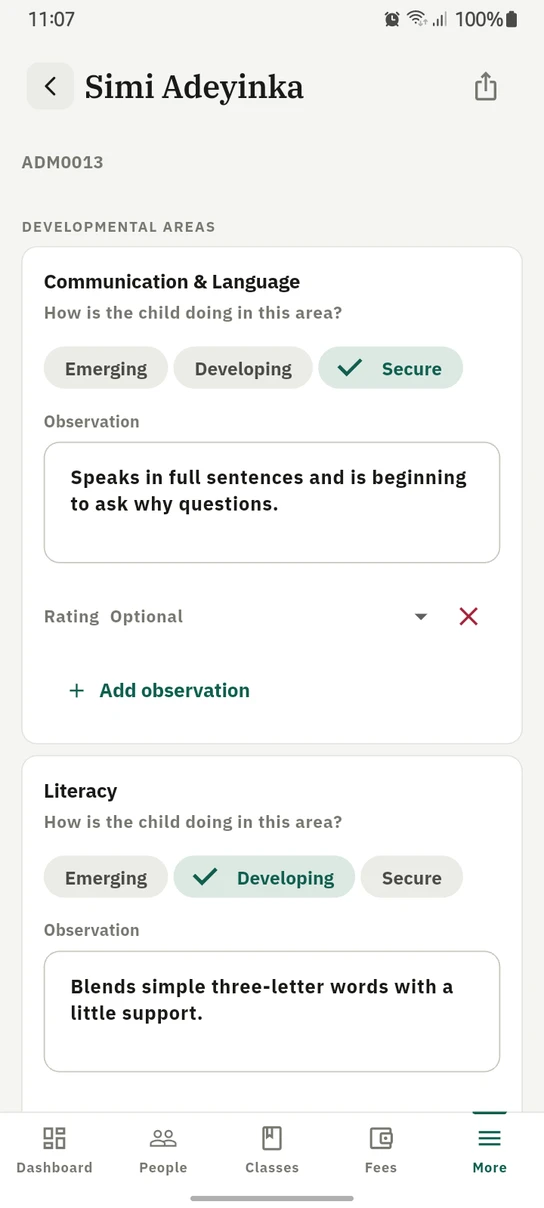
One area at a time on the phone: how the child is doing, then what the teacher saw.
On the report card
Early-years pupils get a dedicated Developmental Assessment report card in place of the subject-score table. It carries each area with its rating and the teacher's bulleted comments (any comment given its own rating shows it as a small badge), the rating-scale key, the areas to improve on, and the class teacher's and head teacher's remarks. Students and parents see it in their portals, and it downloads as a PDF or as an image (PNG), whichever suits.
It is signed off by name exactly as the standard card is: the class teacher's line carries the teacher assigned to that class, and the head teacher's line carries the name set in Settings → General → Head of School.
Ready to try it with your school?
Three-month Basic trial. No card required to register.