
Students
Promote & Graduate
Move a whole class up a year in one pass, or mark a leaving year as graduated so the record says they finished rather than simply that they left, with the cohort they graduated in kept against each pupil.
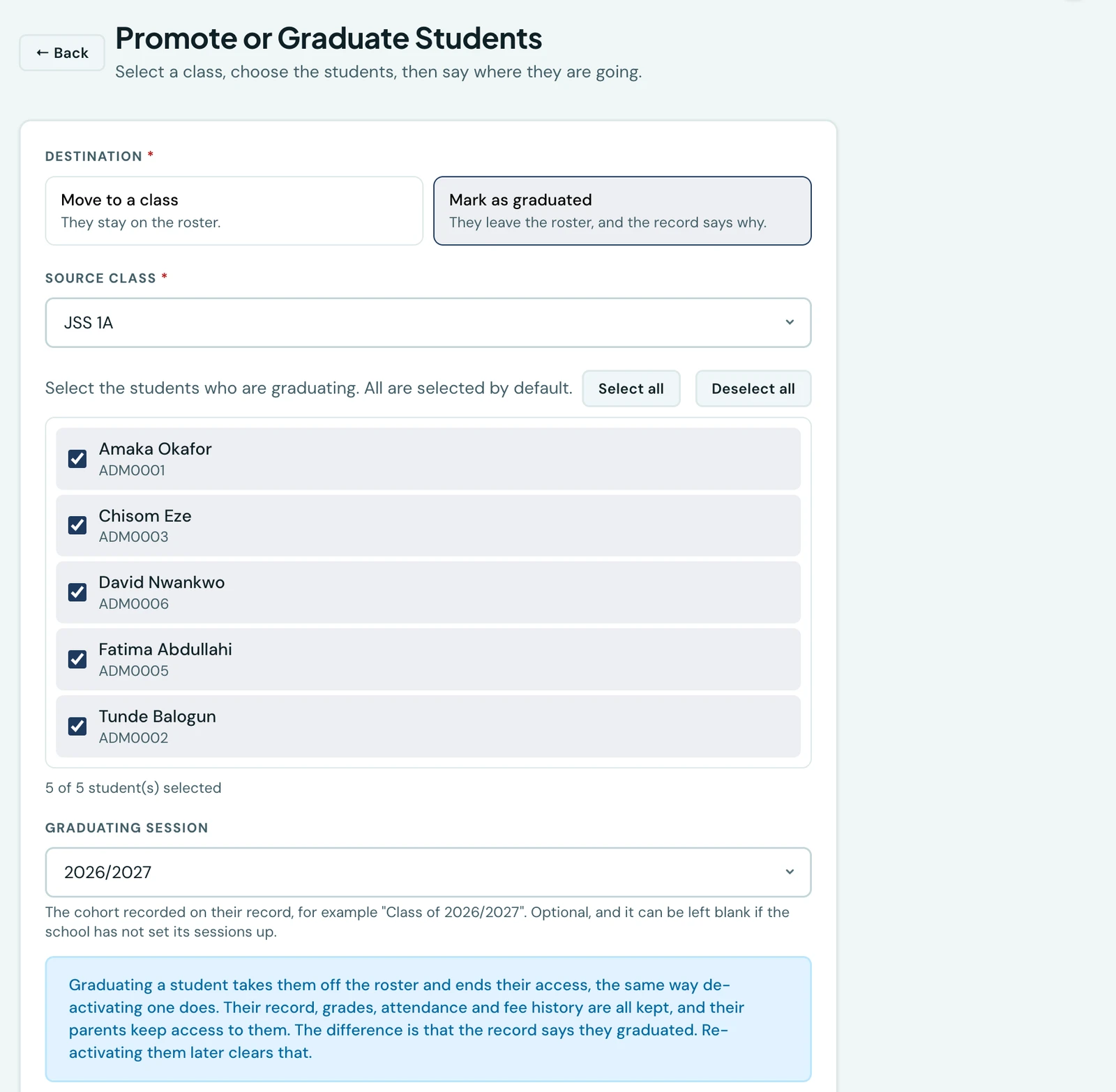
At the end of a school year, most classes move up one. The class at the top does not: it finishes. Students → Promote / Graduate does both, and asks you which one you mean before anything happens.
Moving a class up a year
Pick the class the pupils are in. Everybody in it is selected by default, and you untick anyone staying put, so the common case is a class list and one button. The destination defaults to the next class in your own class order, which is why that order is worth setting once on the Classes page: the platform reads it rather than guessing from the names.
The pupils keep everything. Their grades, attendance, invoices and receipts stay exactly where they are, and only their class changes.
Graduating a leaving year
Choose Mark as graduated instead, and the destination class is replaced by a graduating session: the cohort recorded against each pupil, so a record can say "Class of 2026/2027" years later. The session defaults to your current one.
When the class you picked is the last one in your school, the page selects Graduate for you. That class is the leaving year and there is nowhere above it to promote to.
What graduating actually does
A graduate comes off the roster and can no longer sign in, exactly as a de-activated pupil does. That means they no longer appear in class lists or registers, are not invoiced in a new term, and stop counting towards your plan's student limit, so next year's intake has room without you having to tidy anything up.
Everything about them is kept: their profile, their grades, their attendance history, every invoice and every receipt. Their parents keep access to it too, so a family can still open a report card or a receipt after their child has left.
The difference between graduating a pupil and de-activating one is that the record says which happened. That distinction is the point of the feature: a school looking for last year's leavers should not have to pick them out of a list that also holds everybody de-activated by mistake.
Finding your graduates later
The Students page has a status filter with three values: Active, Graduated and Inactive. Each pupil's row carries their status and, for a graduate, the session they graduated in.
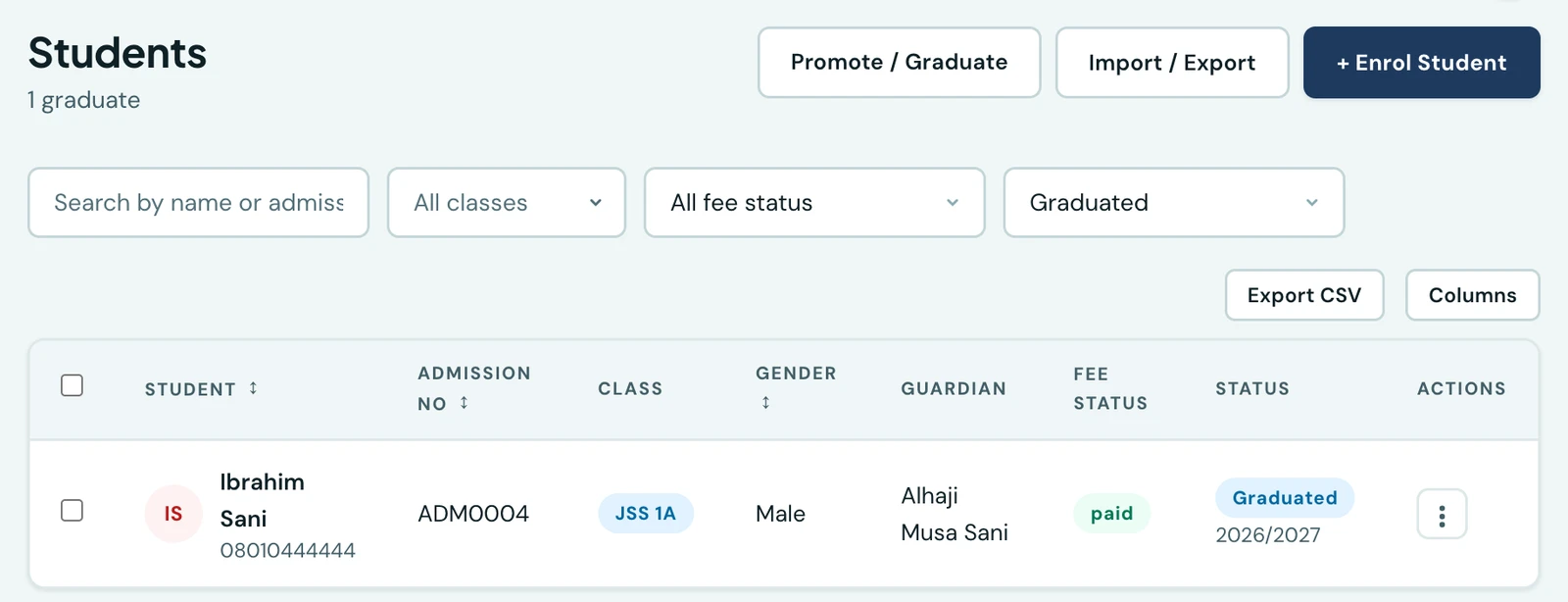
The CSV export follows the filter, so exporting while Graduated is selected gives you exactly that list, with the enrolment status and the graduating session as columns.
Graduating one pupil
A pupil who finishes on their own is graduated from their own record: open them from the Students page and use Graduate, which asks for the same graduating session. It is the same act as the class-at-once one, and both are available on the mobile app.
If somebody comes back
Re-activate them from the Students page or their own record. Re-activating clears the recorded graduation, because a pupil back on the roster has not graduated, and both screens say so before you confirm. They return to the class they left from.
A graduated pupil cannot be moved to another class while they are graduated. The class on their record is the class they left from, and it is what a transcript or a leaving certificate reads.
Who can do this
Promoting and graduating both need the Manage students permission, the same one that enrols a pupil. Every graduation is recorded in the audit log with who did it and when.
On the phone
Both are on the mobile app. Open Classes and tap Promote / Transfer at the top, which opens Promote / Graduate. The button is there for anyone with Manage students, the same permission as on the web. Choose Promote or Graduate and pick the class. Everybody in it is ticked, so untick anyone staying put. Promoting preselects the next class in your order; for the last class, Graduate is chosen for you and asks for the Graduating session. Then confirm.
To graduate one pupil, open their record and choose Graduate from its menu; Reactivate in the same menu brings a graduate back. On the students list, the filter's Status option includes Graduated only.
Ready to try it with your school?
Three-month Basic trial. No card required to register.