
Academics
Publishing Report Cards
Report cards stay inside the school until you release them. Publish a term to open every family's card at once, and withdraw it just as quickly if something needs correcting.
Marks arrive over weeks. Teachers finish at different times, remarks are written late, and an attendance figure is corrected the day before the ceremony. None of that should be visible to parents while it is happening, and until a school says so, now it is not.
A term's report cards are released in one act. Before that, staff read, correct and print them exactly as before, and students and parents are told the card is not out yet.
Releasing a term
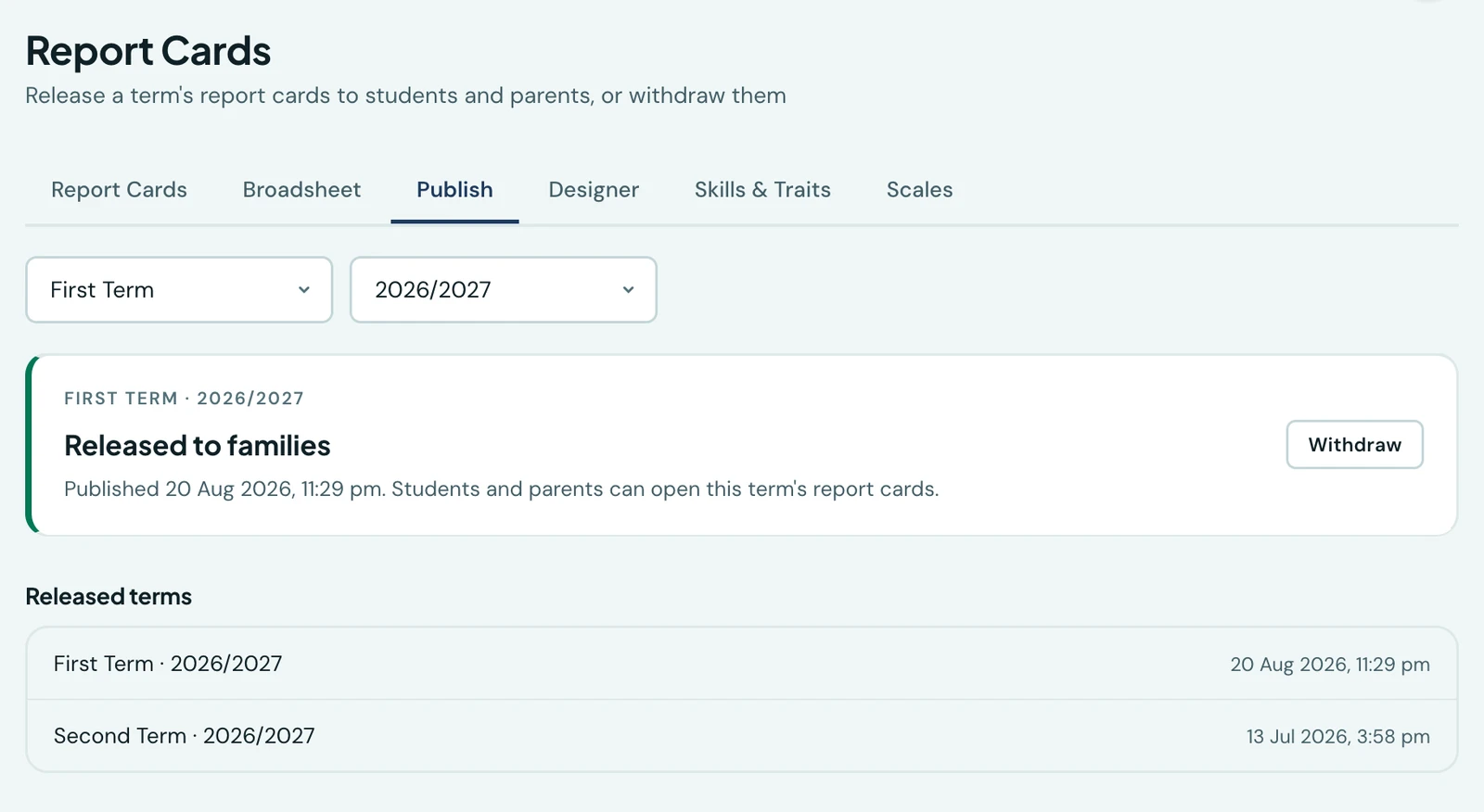
Open Report Cards → Publish, choose the term and session, and the panel tells you where that term stands. If it has not gone out, click Release to families; you are asked to confirm, because every family in the school sees the result.
That is the whole of it. There is no per-class release and no scheduling: one term, one decision.
A term is released only once every class holding marks in it has been approved, and the panel names any class that has not. Releasing locks the term's marks. Both are described in Approving and locking results.
What families see before you release
- The report card page tells them their school has not released any cards yet.
- The term selector offers only the terms that have been released, so nobody picks a term and is turned away by it.
- The PDF is refused too. A card that is not out cannot be reached by downloading it instead.
- The marks behind it are held back as well. The Grades tab, the child's page, the class and principal's remarks show nothing from that term; the Grades tab and the child's page say the results have not been released yet. Staff see every mark as they enter it.
- Early years pupils are covered by the same decision. Their developmental card is their report card, and it is released with everybody else's.
Opening the page with no term chosen shows the most recently released term rather than the term the school is currently in. For most of the year those are different, and a parent who asked for nothing in particular should be shown the card that exists.
On the phone
The same decision is in the 1410SMS app. Open Report Cards and tap Release to families in the header: pick the term and the session, and the panel tells you where that term stands, exactly as the web tab does. Releasing and withdrawing are both confirmed there too, and the list of terms your school has already released, with the date each went out, sits underneath.
The button only appears for somebody who holds the publish permission. Everyone else reads the directory as before.
What the phone deliberately does not carry is a per-class review of who is still unmarked. That is a table, and a table belongs on the web workspace; the decision itself is one term at a time either way, which is why a head teacher can take it in a corridor.
Withdrawing
If something needs correcting after the cards have gone out, click Withdraw. Families stop being able to open that term immediately. A single mark can instead be corrected while the cards stay out, by somebody allowed to amend a released result, as Approving and locking results explains. Nothing about the cards themselves changes: the marks, remarks and ratings are all still there, and releasing the term again puts them straight back.
Both acts are recorded in the audit log with who did it and when.
Who can release a term
Releasing and withdrawing need the Publish report cards permission. It is held by the Owner, the School Administrator, the Principal and the Vice Principal by default, and you can grant it to any role under Roles & permissions.
Anyone who can read report cards can see the Publish tab and whether a term is out, which is what their pupils and their pupils' parents are asking them, but the button belongs to the permission.
Schools already using report cards
Nothing disappeared when this arrived. Every term your school had already recorded marks in was treated as released, whether those were term grades, weekly marks or early years assessments, and whether or not anybody had opened a card to write a remark in it. Any term a card had been saved in counts too. Families reading their cards yesterday are reading them today.
The one term that was not released automatically is one where the only thing on record is attendance, with no marks of any kind and no saved card. If you have such a term and want its cards out, release it from the Publish tab. The decision applies from your next term onwards.
Ready to try it with your school?
Three-month Basic trial. No card required to register.