
Finance
Refunds, and Giving Money Back to a Family
Record money your school has given back to a family, reopen the invoice by that amount, and keep every collected-money figure honest. Distinct from cancelling an invoice or voiding a receipt, neither of which moves money.
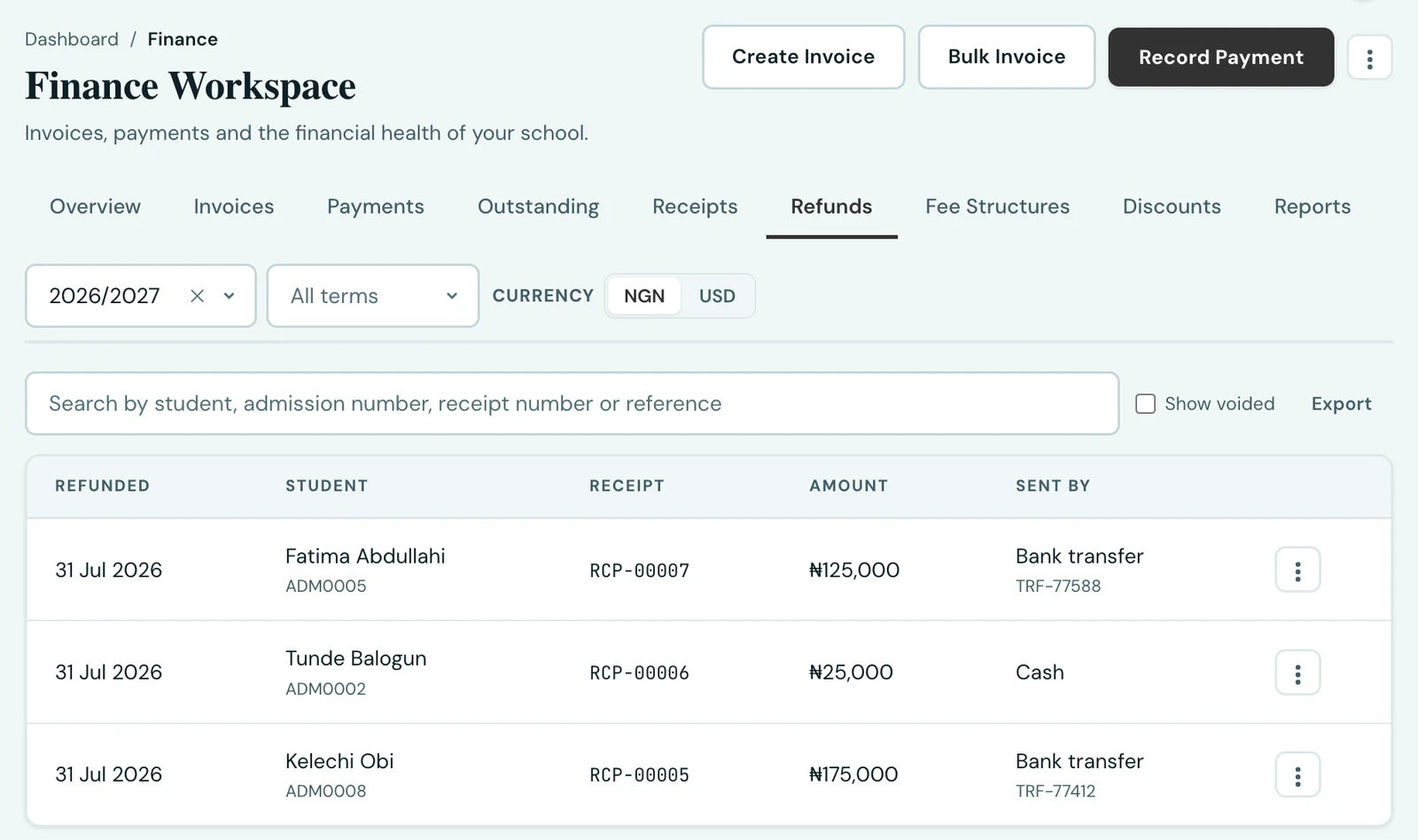
Sometimes a family has genuinely paid you and genuinely needs the money back: they paid twice, a pupil withdrew before term started, or a payment was larger than the bill. That is a refund, and it is a different thing from the two corrections that came before it.
Refund, cancel or void?
These three get confused constantly, and using the wrong one is how a school's records stop matching its bank statement.
| What it means | Does money move? | |
|---|---|---|
| Cancel invoice | The charge should never have been raised | No |
| Void receipt | The payment entry was a mistake; nothing was ever received | No |
| Refund | Money really was received, and is really going back | Yes |
Void and refund do the same thing to the balance and mean opposite things. Voiding says this never happened; refunding says this happened and is being reversed. If you void a receipt for a payment that genuinely reached your bank, your records will show nothing collected while your bank shows the money arriving, and nothing will explain the gap.
Recording a refund
Open Finance → Receipts (or Payments), find the receipt, and choose Record refund. You enter:
- Amount. Up to what is left of that payment. Partial refunds are fine and can accumulate.
- Sent by. Bank transfer, cash or cheque.
- Date sent. The day the money actually left, which you can backdate. This matters: every collected-money figure counts the refund against that date, so a transfer you sent on Friday and typed in on Monday belongs to Friday, and your reports line up with your statement.
- Reference. Your own transfer or cheque number, optional.
- Reason. Required. It is the only thing that later distinguishes this from a void.
The invoice reopens by the amount refunded. If the family still owes the money, the balance is simply payable again; if they do not, tick Cancel the invoice as well, which is offered whenever the refund leaves the invoice owing its whole amount.
Refunding a payment where the parent bore the fee
If your school passes the provider's fee to the payer, the family was charged more than reached the invoice. The refund form names both figures so you can choose knowingly: the smaller one settles the ledger, the larger one is what actually left their account.
Telling the family
Refunds notify parents by default, unlike a void. Money arriving with no explanation has families ringing the bursary to ask what it was. The message says the school is sending the money rather than that it has already arrived, because how long it takes depends on their bank, not on us.
You can untick it for a correction the family does not need to hear about.
Cancelling an invoice, and telling the family
Cancelling is separate from refunding, and it now offers the same choice: Tell the family, which is off by default. Most cancellations are internal corrections followed straight away by a corrected invoice, and a family told an invoice was cancelled and then handed a near-identical one has been given noise rather than news. Tick it when the cancellation is the news, for example a charge raised in error that will not be re-issued.
The notice mentions no money, because cancelling is only allowed while nothing has been paid. Where money had been paid, you refund first, and that notice covers it.
A refund can never exceed what is left of the payment behind it, and that holds even when two people act at the same moment: if you and a colleague both record a refund of the same receipt at once, one is saved and the other is told the payment has already been refunded in full. Neither of you has to know the other was there.
The Refunds tab
Finance → Refunds lists every refund your school has recorded, searchable by student, admission number, receipt number or your own reference, and downloadable as a CSV. Voided refunds are hidden unless you ask for them, since they count for nothing.
Correcting a refund you recorded in error
Use Void refund on that row, with a reason. This says the money never went back: the invoice is credited again and the refund stops counting everywhere. The row itself stays, because "we recorded a refund we should not have" is something you may need to explain later, and a row that vanished would explain nothing.
What refunds change in your figures
A refund reduces collected money, because the school has un-earned that income. Specifically:
- The invoice's balance reopens, so the pupil's fee status, the outstanding totals and the collection rate all follow immediately.
- Payment-method and collection-trend figures net the refund out in the month it was issued, never in the month of the original payment. Reducing a month you have already reported and reconciled would change a figure you had acted on.
- Today's takings on the dashboard net out anything refunded today.
Gateway fees are treated the opposite way and stay out of this: a fee is a cost of collecting income you did earn, so it never reduces revenue. It is accounted for separately in the settlement reconciliation on the Reports tab.
Who can do it
Recording and voiding refunds needs the Manage refunds permission (finance.refund.manage),
which Owner, School Administrator and Accountant hold by default. Viewing the Refunds tab needs only
View finance. Granting one without the other is a reasonable way to let someone see refunds
without being able to issue them.
On the phone
Refunds are recorded on the mobile app too. Open Fees, tap the ⋮ menu and choose Payments, then use the menu beside the receipt and choose Record refund. The form asks for the same things as the web: the amount, Sent by, Date sent, an optional reference and a reason, with Cancel the invoice as well where it applies and Tell the family. Once a payment has been partly refunded, the same menu offers Refund the rest.
Refunds, in the same ⋮ menu, lists every refund. It is searchable, has a Show voided switch, and has Void on each row for one recorded in error. Downloading the list as a CSV is done on the web.
Ready to try it with your school?
Three-month Basic trial. No card required to register.