
Academics
Regrading After a Scale Change
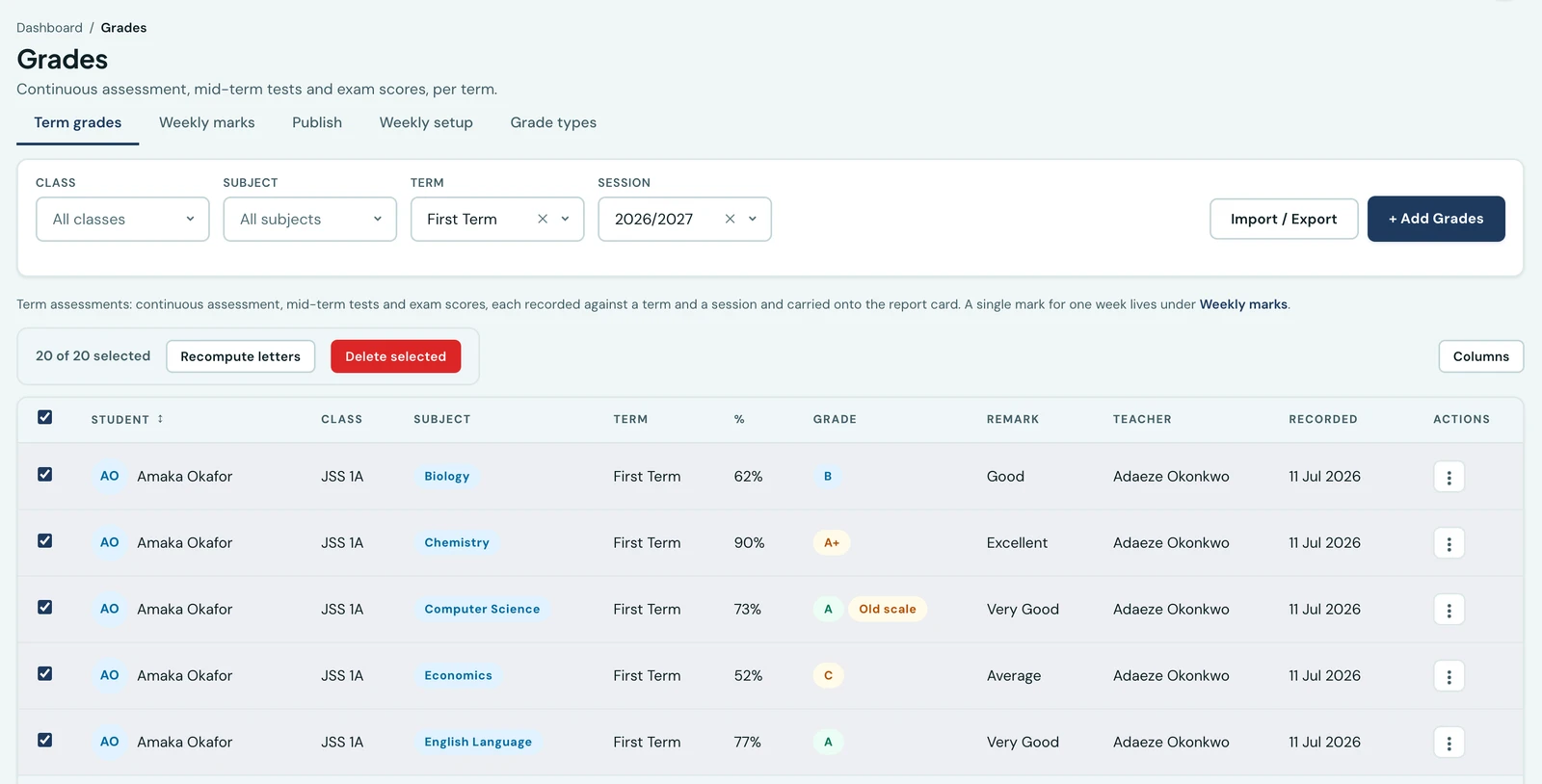
Marks keep the letter they were given when they were entered. When you change your grading scale, the Grades list flags the rows that no longer match and lets you regrade the ones you choose.
When a mark is entered, 1410SMS works out its letter and remark from your grading scale and stores them on the record. The letter is a fact about what that pupil was awarded, not a calculation repeated every time somebody opens the page.
That is what makes a printed report card still true a year later. It also means that when you change your grading scale, marks entered under the old one keep their old letters, which is correct and would be invisible if the platform said nothing about it.
Old scale
After you edit your grading scale, the Grades list marks every affected row with an Old scale badge. The badge means one thing exactly: the letter stored on this mark is not the letter your current scale would give that score.
Nothing is changed by the badge appearing. The mark, its letter and any report card already printed are all untouched.
Regrading the rows you choose
Tick the rows you want and press Recompute letters. You are told what will happen before anything is written:
2 of the 20 selected grades carry a letter your current scale would not give them. Recomputing rewrites those letters. Scores are not changed, and report cards already printed will no longer match.
Confirm, and only those rows are rewritten. Rows already agreeing with the scale are left alone, including their recorded date.
Three things about how this is deliberately shaped:
- It works on marks you tick, not on a filter. Regrading a whole year of history should not be one click away from regrading this term, so there is no "recompute everything" button. Select what you mean.
- Scores are never touched. Only the letter and the remark derived from it.
- A teacher can only regrade marks they could have entered. The same class and subject scope that governs recording a grade governs regrading one.
Which to do
There is no correct answer, only a decision to make deliberately:
- Regrade when the old scale was wrong: a boundary typed incorrectly, a scale set up before the school's policy was settled. The stored letters were never the ones you meant to award.
- Leave them when the scale genuinely changed: a policy that took effect this term. Last term's pupils were graded under last term's rules and their cards should keep saying so.
Report cards are rebuilt automatically for any pupil whose marks you regrade, so their card and the class broadsheet agree again immediately.
Ready to try it with your school?
Three-month Basic trial. No card required to register.